📚 Quick Navigation
🚀 Quick Start Guide
Get NCETickets up and running in under 15 minutes! Follow these simple steps to start selling tickets.
1. Install NCETickets
Upload files and run the web installer
2. Configure Settings
Add Stripe keys and site details
3. Create Events
Add your first event and tickets
4. Setup Mobile Apps
Connect NCEBoxOffice for POS
📦 Installation Guide
Installing NCETickets is straightforward with our web-based installer.
System Requirements
| Component | Requirement | Notes |
|---|---|---|
| Web Server | Apache or Nginx | Most shared hosting works |
| PHP Version | 7.4 or higher | PHP 8.x recommended |
| Database | MySQL 5.7+ or MariaDB | One database required |
| Disk Space | 50 MB minimum | Plus space for ticket PDFs |
Installation Steps
- Get NCETickets — buy a license or start a free trial
- Create an empty MySQL database and a database user with full privileges on it (in cPanel, Plesk, or whatever your host provides)
- Upload the unzipped files to your web server (e.g., public_html/ncetickets/)
- Navigate to https://yourdomain.com/ncetickets/installer/install.php
- Follow the installer prompts — it will ask for the database details from step 2
- Create your admin account during installation
Security: After installation, delete or rename the installer/ directory immediately.
⚙️ Configuration
Stripe Setup
To accept online payments:
- Sign up at stripe.com
- Get your API keys from the Stripe Dashboard
- Enter keys in NCETickets Admin → Settings
- Test with Stripe's test card: 4242 4242 4242 4242
📱 NCEBoxOffice Mobile Setup
Connect the companion mobile apps for point-of-sale functionality.


App Configuration
- Open NCEBoxOffice on your device
- Go to Settings in the app
- Enter your API URLs:
- Remote URL: https://yourdomain.com/ncetickets/box/api
- Stripe URL: https://yourdomain.com/ncetickets/box/api
- Select "Use your own backend" for Stripe mode
Supported Printers
- Bixolon SPP-R200III - Recommended
- Generic BLE Printers - Budget options ($30-50)
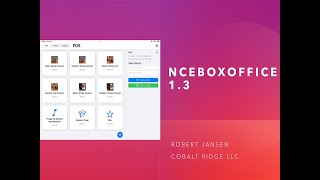
📹 Video Tutorials
Learn visually with our step-by-step video guides.
🔗 API Reference
NCETickets provides a RESTful API for integrations.
Authentication
Authorization: Bearer YOUR_API_KEY
Content-Type: application/json
Endpoints
Get Events
GET /api/events
Response: {"events": [...]}
Create Order
POST /api/orders
Body: {"event_id": 1, "quantity": 2}
🔌 osConcert Integration
NCEBoxOffice can work with existing osConcert installations.
FREE Integration! Contact us for the box.zip backend package at no charge.
osConcert Setup Steps
- Download the FREE box.zip integration package
- Extract to your osConcert directory
- Configure database in box/config/config.php
- Configure email server in box/config/config_email.php
- Set NCEBoxOffice app URLs to yourdomain.com/osconcert/box/api
🔧 Troubleshooting
Common Issues
Installation Fails
- Check database credentials
- Verify PHP version (7.4+)
- Ensure database user has CREATE permissions
Stripe Not Working
- Verify API keys (test vs live)
- Check SSL certificate (https required)
- Test with card: 4242 4242 4242 4242
Mobile App Won't Sync
- Check API URLs are correct
- Verify /api endpoint is accessible
- Try disconnecting and reconnecting
Need Help? Contact support at tickets@ncetickets.org
✨ Coming Soon
- Recurring event templates
- Advanced analytics dashboard
- Multi-language support
- Waitlist management